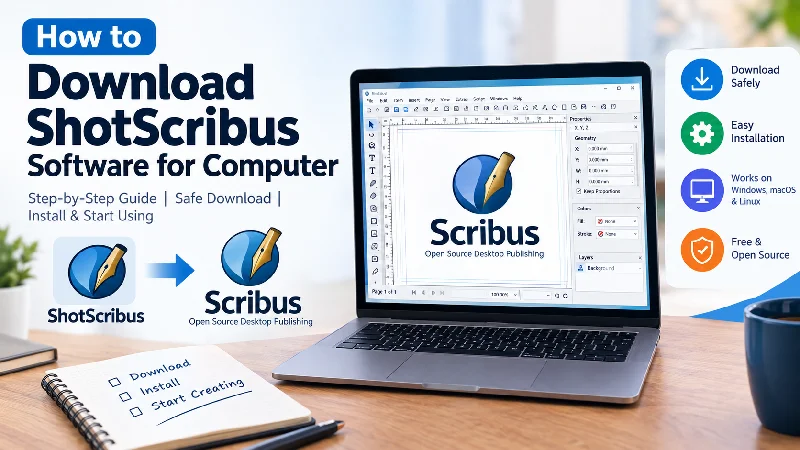
If you are searching for how to download ShotScribus software for computer, you may have already noticed that information about this name is confusing. Some websites present ShotScribus as a standalone desktop application, while others use the term when discussing Scribus and desktop publishing.
Before downloading anything, it helps to know what you are actually looking for. Scribus is a well-established, free, open-source desktop publishing application, but no equally clear, independently verified software project exists behind the name “ShotScribus.”
That means you should be careful with websites offering an installer specifically labelled “ShotScribus.”
In this guide, we explain how to safely download ShotScribus software, how to download the official Scribus application, how to install it on a computer, and what to check before opening any installer.
What Is ShotScribus Software?
The term ShotScribus software appears in search results and online articles, but it should not automatically be treated as the official name of a recognized software application.
The established project is Scribus, an open-source desktop publishing application designed for creating professional page layouts and print-ready documents. Scribus can be used for magazines, brochures, newsletters, posters, books, catalogs, flyers, business documents, and PDFs.
Scribus also provides features relevant to professional publishing, including CMYK colors, ICC color management, PDF creation, master pages, vector drawing, and advanced page-layout controls.
So, if you searched for “ShotScribus download” because you need a free desktop publishing program, Scribus is the established application you should investigate rather than downloading an unknown program simply because it uses the ShotScribus name.
Is ShotScribus the Same as Scribus?
No clear evidence establishes ShotScribus as an official version, rebrand, or upgrade of Scribus.
Scribus has its own project history, documentation, development community, and recognized distribution channels. Your previous guide on Unfinished Mag also explains this distinction in detail.
For readers who want more background before downloading anything, you can read:
ShotScribus Software: What You Need to Know Before Downloading It
That article explains what the ShotScribus name refers to and why users should verify the software source before installing an unfamiliar application.
How to Download ShotScribus Software for Computer Safely
If your goal is to obtain the desktop publishing software commonly associated with the ShotScribus search term, the safest approach is to download Scribus through its established project distribution channels.
Scribus is currently distributed through established sources, including SourceForge. The current SourceForge listing identifies Scribus as open-source desktop publishing software and lists Windows releases, including a Windows x64 build.
Step 1: Identify Your Operating System
Before downloading, determine your computer’s operating system.
Most desktop users will be using one of these:
- Windows
- macOS
- Linux
You should always select the installer or package intended for your operating system.
For Windows users, the current SourceForge listing includes a 64-bit Windows executable for Scribus.
Step 2: Use a Recognized Download Source
Do not download a program just because a random website has a button saying “Download ShotScribus.”
Instead, verify:
- Who developed the software?
- Is there an established official project?
- Does the download source match the project documentation?
- Does the application name match the downloaded file?
- Is the download being provided through a recognized distribution channel?
For Scribus, the project has established documentation and distribution channels. The Scribus community has also advised users to use the official Scribus website and its linked download sources rather than unrelated download pages.
Step 3: Download the Correct Scribus Version
Once you reach the recognized Scribus download source, choose the version appropriate for your computer.
For a modern Windows PC, this generally means looking for the Windows x64 build.
The current SourceForge listing shows Scribus 1.6.6 as the latest stable release in its main Scribus files directory, with a Windows x64 installer available.
Do not select a development build simply because it has a newer version number. Development releases can be intended for testing rather than everyday use.
How to Install Scribus on Windows
After downloading the Windows installer, installation is straightforward.
1. Locate the Downloaded File
Open your computer’s Downloads folder and find the Scribus installer.
The filename should correspond to the official Scribus release rather than containing suspicious additions such as “crack,” “premium,” “activated,” or unrelated bundled software.
2. Start the Installer
Double-click the installer file.
Windows may display a security prompt before allowing the application to run.
If you downloaded the installer from a recognized Scribus distribution source, verify the file and its publisher information before continuing.
3. Follow the Installation Wizard
The installer will guide you through setup.
Depending on the release, you may be asked to:
- Choose a language
- Accept the license
- Select an installation folder
- Choose shortcuts
- Confirm installation
For most users, the default installation settings are sufficient.
4. Complete the Installation
Click the installation button and wait for the process to finish.
When the installer reports that the setup is complete, launch Scribus from the Start menu or desktop shortcut.
How to Install Scribus on macOS
Mac users should download the macOS package provided through the recognized Scribus distribution channels.
The exact installation process can vary between Scribus releases and macOS versions, but the general process is:
- Download the appropriate macOS package.
- Open the downloaded file.
- Follow the installation instructions.
- Move or install Scribus according to the package instructions.
- Launch Scribus from Applications.
If macOS displays a security warning, do not immediately bypass it. First verify that the application came from the legitimate Scribus distribution source.
How to Install Scribus on Linux
Linux users have several possible installation methods depending on their distribution.
For example, Debian- or Ubuntu-based systems can use their package-management system when an appropriate Scribus package is available.
A typical package-manager installation can look like:
sudo apt update
sudo apt install scribus
However, package versions can differ between Linux distributions. If you need a particular release, check the current Scribus documentation and distribution instructions before installing.
How to Check Whether a ShotScribus Download Is Safe
This is one of the most important parts of the download process.
A search result alone does not prove that a software download is legitimate.
Before opening an installer, check the following.
Check 1: The Software Name
If you searched for ShotScribus but the download claims to be an official “ShotScribus.exe,” stop and verify the source.
The established desktop publishing application is Scribus.
Check 2: The Developer
Look for information about the actual developer or open-source project.
A legitimate software project should normally have documentation, release information, development history, and a recognizable community.
Check 3: The Download Domain
Be careful if a website uses a familiar software name but has no connection with the actual project.
A professional-looking download page does not automatically mean the installer is legitimate.
Check 4: The File
Avoid installers that contain suspicious words such as:
- Crack
- Keygen
- Activated
- Full Version
- Premium
- Mod
- Portable Pro
These labels are particularly suspicious when the software itself is supposed to be free and open source.
Check 5: Antivirus Scan
Before running an unfamiliar installer, scan it with your computer’s security software.
If your antivirus reports a serious threat, do not disable the antivirus simply to complete the installation.
Why You Should Avoid Random “ShotScribus Download” Websites
When a software name becomes popular in search engines, many websites may create pages targeting that keyword.
That does not mean every page provides the actual software.
Your existing ShotScribus article already explains this problem: users may encounter websites describing ShotScribus as a software product even though the independently verifiable project history does not match that of Scribus.
For this reason, the safest strategy is simple:
Verify first, download second.
Never install software simply because a webpage promises an easy one-click download.
What Can You Do With Scribus?
If what you really need is a desktop publishing application, Scribus offers many useful features.
You can use it to create:
- Magazines
- Newspapers
- Brochures
- Flyers
- Posters
- Books
- Newsletters
- Catalogs
- Business documents
- Print-ready PDFs
Scribus is particularly useful when you need precise control over text frames, images, page layouts, margins, typography, and print output. Its documentation also covers professional publishing features such as CMYK, spot colors, ICC color management, and PDF creation.
Is Scribus Free?
Yes.
Scribus is an open-source desktop publishing application. It is designed as a free alternative for users who need professional page-layout capabilities without purchasing a commercial desktop publishing subscription.
However, free software doesn’t mean it has no learning curve. Beginners may need some time to understand frames, styles, master pages, typography, and print settings.
What Should You Do If You Already Have an Older Version?
If you already have Scribus installed, check the current release information before downloading another installer.
You should also back up important documents and templates before making a major software change.
For more information about upgrading and handling an existing installation, see our related guide:
ShotScribus Software Upgrade: What’s New and How It Works
That article can work as a useful follow-up resource for readers who already have a version of Scribus installed.
Common Problems When Downloading or Installing Scribus
“The installer won’t open”
The download may have been interrupted or corrupted.
Try downloading the installer again from the recognized distribution source.
“This app can’t run on your PC”
This can happen when the downloaded package is incompatible with your Windows architecture or operating-system version.
Check that you selected the correct version for your computer.
Windows shows a security warning
Do not automatically click through the warning.
First confirm that you downloaded the application from the recognized Scribus distribution source and that the file has not been modified.
The software crashes after installation
Make sure your operating system and drivers are up to date.
If the problem continues, check the Scribus documentation and community support resources for the specific release you installed.
ShotScribus vs. Scribus: Which One Should You Download?
If your goal is desktop publishing, the distinction is important.
| Feature | ShotScribus | Scribus |
|---|---|---|
| Established software project | Not clearly verified | Yes |
| Open-source project | Not clearly verified | Yes |
| Desktop publishing | Claims vary online | Yes |
| PDF creation | Claims vary online | Yes |
| CMYK support | Claims vary online | Yes |
| Recognized project documentation | Unclear | Yes |
| Established distribution channels | Unclear | Yes |
The practical takeaway is simple: do not assume that an installer labelled ShotScribus is the official Scribus application.
Final Thoughts
Searching for how to download ShotScribus software for a computer can lead to confusing results because the ShotScribus name appears across different websites without the same level of verifiable project information associated with Scribus.
If you want to create brochures, magazines, books, flyers, newsletters, posters, or professional PDFs, Scribus is the established software project to investigate.
The most important rule is to verify the software and its source before downloading an installer. Avoid unfamiliar websites that promise a special ShotScribus version, and never disable your security software simply to install an unverified program.
If you want to understand the terminology first, our ShotScribus Software guide provides additional background. If you already use Scribus and want to learn about upgrades, our ShotScribus Software Upgrade guide can be used as the next resource.
By following these steps, you can search for the ShotScribus download more safely and avoid confusing an unverified software name with the established Scribus project.
Frequently Asked Questions
How do I download ShotScribus software for my computer?
If you are looking for a desktop publishing application associated with the ShotScribus search term, verify the software first. Scribus is the established open-source desktop publishing project, and its releases are distributed through recognized project channels.
Is ShotScribus the same as Scribus?
There is no reliable evidence establishing ShotScribus as an official version or rebrand of Scribus. Scribus is its own established open-source project.
Is Scribus free to download?
Yes. Scribus is open-source desktop publishing software and can be obtained through its recognized distribution channels.
Can I use Scribus on Windows?
Yes. Current Scribus distribution listings include Windows builds, including a Windows x64 installer.
Can I use Scribus for professional design?
Yes. Scribus includes professional page-layout and print-production features such as CMYK support, ICC color management, master pages, and PDF creation.
Should I download a ShotScribus installer from a random website?
No. If you can’t verify the developer, project history, and download source, it is safer not to install the file.
What if I only want a free desktop publishing program?
Scribus is worth considering. It is an established open-source desktop publishing application designed for layouts, publications, and print-ready documents.