
If you have recently searched for ShotScribus software, you may have noticed that information about it is surprisingly confusing. Some websites describe ShotScribus as a desktop publishing or design application, while others question whether it is an officially developed product at all.
This confusion is important because software users should always verify the developer, official documentation, download source, and product history before installing an unfamiliar application.
In this guide, we will explain what is currently known about ShotScribus, how it relates to Scribus, what features are associated with the real Scribus application, and how to stay safe when looking for a download.
What Is ShotScribus Software?
ShotScribus software appears on several websites and in search results, but you should not automatically treat it as an established software product.
The website using the ShotScribus name publishes articles about desktop publishing, editing, software upgrades, and related topics. However, the information available online does not provide the same level of established project documentation and development history as Scribus.
This distinction matters because users searching for ShotScribus may actually be looking for Scribus, the well-known open-source desktop publishing application.
Scribus is designed for creating professional page layouts, brochures, magazines, newsletters, posters, books, and other publications. Its project documentation describes it as an open-source desktop publishing application with professional publishing capabilities.
Is ShotScribus the Same as Scribus?
No clear evidence establishes ShotScribus as an official version, upgrade, or rebranded release of Scribus.
Scribus has its own long-running open-source project, documentation, community, source code, and established distribution channels. Its development repository describes support for features including right-to-left languages, Indic scripts, OpenType features, linked text frames, and long-document rendering.
So, if you’re looking for a free desktop publishing program, it is worth checking Scribus rather than assuming every website using the term ShotScribus is offering the official application.
What Is Scribus Actually Used For?
Scribus is primarily a desktop publishing (DTP) application.
Unlike a traditional word processor, DTP software gives you greater control over the visual arrangement of text, images, shapes, pages, margins, and other elements.
You can use Scribus for projects such as:
- Magazines
- Newsletters
- Brochures
- Posters
- Flyers
- Books
- Catalogs
- Business publications
- Technical documents
- Print-ready PDF documents
The Scribus documentation specifically highlights professional page layout, PDF creation, CMYK color, spot colors, ICC color management, vector drawing, and multiple import/export formats.
Key Features of Scribus
If you’re looking for a reliable alternative to commercial desktop publishing software, Scribus offers several useful features.
Professional Page Layout
Scribus lets users position text and graphics precisely on a page. Its frame-based workflow is useful when you need more control than a standard word processor provides.
CMYK and Color Management
For professional printing, color management is often critical. Scribus supports CMYK colors, spot colors, and ICC color management, making it suitable for many print-oriented workflows.
PDF Creation
Scribus supports versatile PDF creation and professional publishing workflows. Its documentation also lists support for PDF/X-3 and various print-production features.
Master Pages and Document Management
Long documents can become difficult to manage without consistent layouts. Scribus provides master pages and page-management tools that help users maintain recurring design elements throughout a publication.
Support for RTL Languages
Another useful capability is support for right-to-left languages. The project documentation mentions RTL support for languages including Arabic, Persian, Urdu, and Hebrew, along with support for Indic scripts.
Benefits of Using Scribus
One of Scribus’s biggest advantages is its open-source nature. Users who need desktop publishing capabilities without committing to an expensive commercial subscription can consider it as an alternative.
It is also cross-platform, with project documentation covering Windows, macOS, and Linux environments.
For students, small businesses, independent designers, nonprofits, and users who need occasional publishing work, Scribus can be an attractive option.
However, free software doesn’t necessarily mean there is no learning curve. Beginners may need some time to understand frames, styles, page management, typography, and professional print settings.
ShotScribus Software for Beginners: What Should You Do?
If you are a beginner and found the keyword shotscribus software while searching for a page-layout application, avoid downloading an unfamiliar installer simply because its filename or website contains the word “ShotScribus.”
Instead, identify the actual software you need.
If you need desktop publishing, investigate Scribus and verify the download through its established project channels. Scribus is an open-source DTP application with a documented project history and publicly available source code.
This simple step can help you avoid accidentally installing an unrelated or potentially unsafe program.
How to Download Desktop Publishing Software Safely
Always download software from a trustworthy source.
Before downloading anything, check:
- The official developer or project website.
- Whether the software has genuine documentation.
- Whether the project has a recognizable development history.
- Whether the download page matches the developer’s domain.
- Whether the software is distributed through a reputable repository.
- Whether the file name and application name match the official project.
For Scribus, established project channels provide current distribution listings. SourceForge currently lists Scribus releases and identifies the project as open-source desktop publishing software.
Is ShotScribus Software Safe?
There is not enough reliable evidence to confidently describe a standalone product called ShotScribus as a verified, established application.
That does not mean that every webpage mentioning the term is necessarily malicious. It simply means that users should not assume that an installer advertised as “ShotScribus” is the official Scribus application.
This is particularly important when a download page asks you to disable antivirus protection, install additional software, provide unusual permissions, or download from an unfamiliar domain.
When you’re unsure, the safest approach is to stop and verify the software before installing it.
ShotScribus Software vs. Scribus
The difference can be summarized simply:
| Factor | ShotScribus | Scribus |
|---|---|---|
| Established DTP project | Not clearly established | Yes |
| Open-source project documentation | Not clearly verified | Yes |
| Professional page layout | Claims appear online | Yes |
| CMYK support | Claims vary by source | Yes |
| PDF creation | Claims vary by source | Yes |
| Developer/project history | Unclear | Established |
| Safe download approach | Verify carefully | Use established Scribus channels |
The key point is that ShotScribus should not be automatically considered another name for Scribus.
Common Problems When Searching for ShotScribus
One of the biggest problems is terminology.
A user may search for “ShotScribus software download” expecting a normal application. Search results can then lead to pages discussing Scribus, desktop publishing, software upgrades, or unrelated content.
Another issue is that SEO-focused websites can create pages around software-related keywords without providing the kind of technical documentation normally expected from a genuine software project.
That is why a name appearing in a search result isn’t enough evidence that a program is legitimate.
Is Scribus a Good Alternative to Paid DTP Software?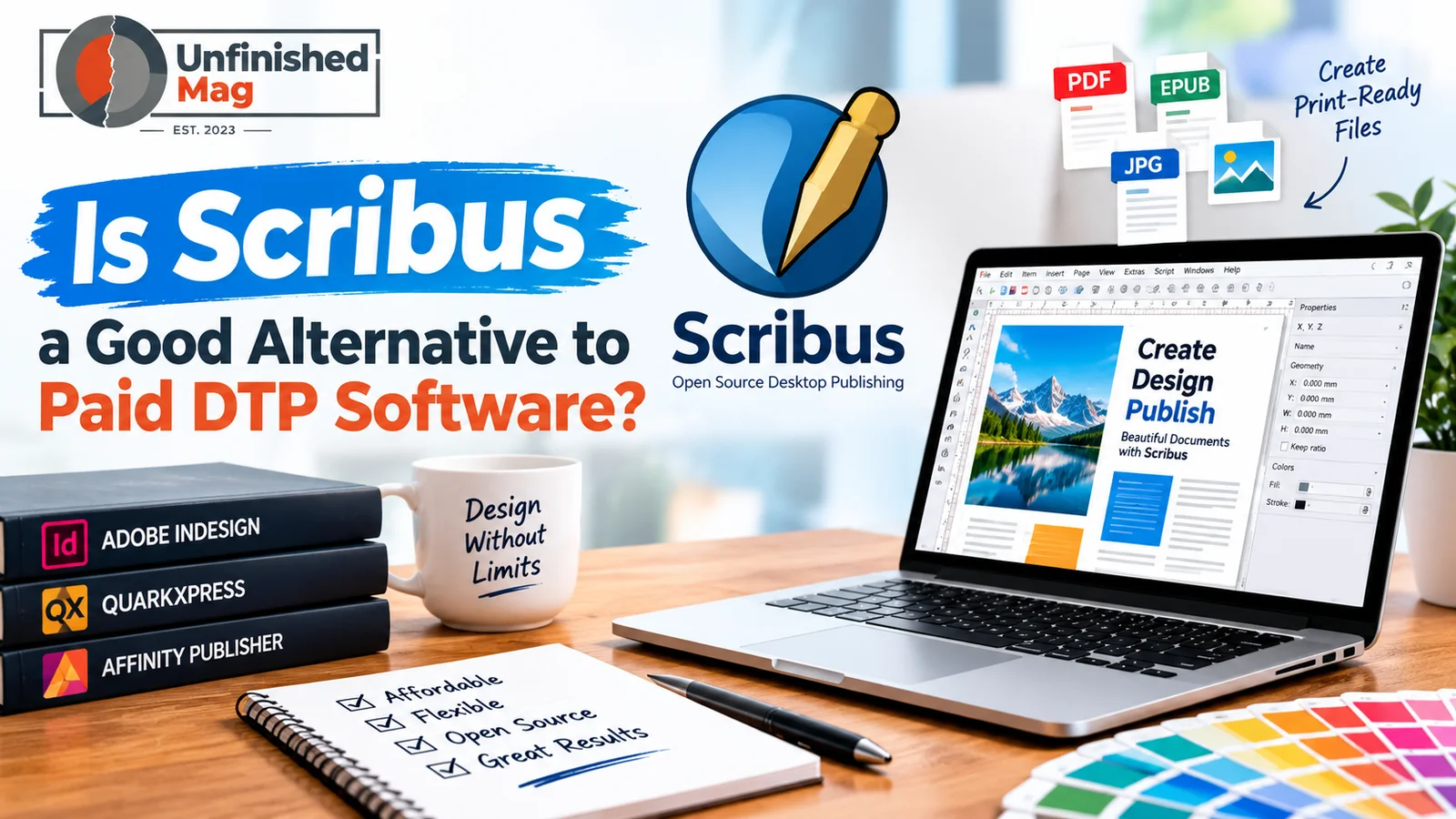
Desktop publishing (DTP) software creates professional documents such as brochures, magazines, newsletters, flyers, and books. Popular DTP programs can be expensive, especially for students, beginners, and small businesses. Scribus can be a useful alternative.
What Is Scribus?
Scribus is an open-source desktop publishing program designed for creating professional page layouts. It provides tools for working with text, images, shapes, colors, and page designs. Since it is free to use, people can explore DTP features without paying for an expensive software subscription.
For users searching for ShotScribus Software, it helps to understand that Scribus mainly focuses on desktop publishing and page layout. It supports both simple projects and more detailed publications.
Features That Make Scribus Useful
One of Scribus’s main advantages is its range of professional publishing features. Users can create multiple-page documents, manage text frames, place images, and prepare layouts for printing. It also supports color management and PDF creation, which helps when preparing documents for professional printing.
Another benefit is that Scribus works across different operating systems. This makes it a flexible choice for people who do not want to depend on a specific paid software platform.
Is Scribus Easy for Beginners?
Scribus may take some time to learn, especially for people who have never used DTP software before. Its interface can feel more technical than basic word-processing programs. However, once users understand the main tools, creating layouts becomes much easier.
Tutorials and community resources are also available online, so beginners can learn the software step by step.
Scribus vs. Paid DTP Software
Paid DTP programs may offer more polished interfaces, advanced features, and dedicated customer support. However, Scribus covers many key features for everyday desktop publishing without a subscription cost.
For students, bloggers, small businesses, and users who need professional-looking documents on a budget, ShotScribus Software can be worth exploring if they are looking for Scribus-related solutions.
Tips for Getting Better Results With Desktop Publishing Software
Whether you use Scribus or another legitimate DTP application, a few practices can improve your workflow.
First, plan the document before placing individual elements. Define page size, margins, columns, and typography early.
Second, use consistent styles rather than manually formatting every paragraph.
Third, keep original images at an appropriate resolution for their final output.
Finally, check the exported PDF before sending it to a printer. Professional publishing problems are often easier to fix before a document reaches production.
Frequently Asked Questions About ShotScribus Software
Is ShotScribus software an official version of Scribus?
No reliable evidence establishes ShotScribus as an official Scribus release. Scribus is its own established open-source desktop publishing project.
Can I use Scribus for professional publishing?
Yes. Scribus provides professional publishing features such as CMYK support, ICC color management, PDF creation, master pages, and print-production capabilities.
Is Scribus free?
Scribus is an open-source desktop publishing application. Its project documentation identifies it as open-source software.
Is ShotScribus safe to download?
Because the identity and official distribution of a standalone ShotScribus application are unclear, don’t download an installer just because a third-party website advertises it. Verify the developer and source first.
What should I download if I need desktop publishing software?
If your goal is professional page layout, look into the established Scribus project and use its recognized distribution channels rather than an unfamiliar “ShotScribus” download page.
Final Words
The keyword shotscribus software can be confusing because it appears alongside information about desktop publishing and the established Scribus application.
The important distinction is simple: Scribus is a documented open-source desktop publishing project, while ShotScribus does not have the same level of independently verifiable software-project history.
If you are looking for software to create magazines, brochures, newsletters, posters, books, or print-ready PDFs, Scribus is the established option worth investigating. Its professional publishing features and open-source model make it a practical choice for many users.
Before installing any program associated with the ShotScribus name, always verify its source. A few minutes of checking can protect your computer, personal information, and important design files.

Pingback: ShotScribus Software Upgrade What’s New and How It Works
Pingback: How to Download ShotScribus Software for Computer A Complete Guide
Pingback: How Can ShotScribus Software Be Protected?